
Release Notes
Software Development Kit for Studio 5000 Logix Designer
Version 2.02.00 (released 3/2026)
Catalog Number Logix Designer SDK
Requirements
This release has the following requirements.
The Logix Designer SDK requires the following hardware, at a minimum:
- Intel® Core™ i5 Standard Power processor
- 8 GB of memory (RAM)
- 20 GB free disk space Software requirements Operating systems
The Logix Designer SDK has been tested on these operating systems:
- Windows® 10 Professional and Enterprise
- Windows 11 Enterprise
- Windows Server 2022
- Windows 8
- Windows 10 2019 TLSC (v1803, v1809, v1903, and v2004)
- Windows Server 2019
- Windows Server 2016
- Windows Server 2012 Required software
- Logix Designer application, version 31 or later, depending on the Logix Designer projects to be used with the application. The Logix Designer SDK has been tested with the latest released versions of the Logix Designer application, including version 38.
- FactoryTalk Linx
- FactoryTalk Services Platform
- FactoryTalk Activation, version 4.04 or later
- Python version 3.12 or 3.13 (required when using a Python client)
- .NET 10.0 Runtime (x86)
- .NET 10.0 Desktop Runtime (x86)
- ASP.NET Core 10.0 Runtime (x86)
- Service and Client Examples (optional)
- Documentation (optional)
Before installation, complete these requirements:
- The Logix Designer SDK server uses this specific TCP port: 53204. Make sure this port is free. You can configure the port number if you use the C# SDK client.
- (Optional) The Logix Designer SDK version 2.02 installs x86 .NET Runtime files, and most users build their executables with this setting. If you need to create x64 binaries, you need to follow the instructions listed in the executable output to install an x64 .NET Runtime.
Features
This release includes the following system features.
- Support for license-based and source key-based content protection. When you apply content protection to a project, users must have the required license or source key to view and edit content.
Known Anomalies from Previous Releases
These anomalies are from previous releases but are still known in this release.
Logix Designer SDK reports that Logix Designer version 31 or 32 is not installed (2172453)
When you use the Logix Designer SDK with Logix projects created in version 31 or 32, and the operating system is configured for a language other than English, the Logix Designer SDK reports an error that states that the Logix Designer application is not installed.
To work around this issue, re-install Logix Designer versions 31 or 32 and, in the installer, select both English and additional languages for installation.
This anomaly first identified in Logix Designer SDK version 1.00.
Functional Changes
This release has the following functional changes from the previous release.
Application Notes
This release has the following application notes.
- The Logix Designer SDK supports only projects created for Logix Designer versions 31 and later. Projects earlier than Logix Designer version 31 are not supported.
- Only one version 31 project is supported at a time. Before creating the next version 31 project, the previous one must be closed. Note that this limitation applies to not just one application; it applies to all applications that are running at a time. An error occurs if you open more than one version 31 project.
- The Code Protection function is supported only in Logix Designer versions 32 and later.
- The Upload to New Project function is supported only in Logix Designer versions 33 and later.
- The function for loading and storing to an SD card is supported only in Logix Designer versions 34 and later.
- The Build project and Safety lock and unlock functions are supported only in Logix Designer versions 37 and later.
- The Logix Designer SDK supports only FactoryTalk Linx for communication software. Note that RSLinx is not supported.
- The controller that you configure to be used by the communication path must be previously configured or visible over the FactoryTalk Linx Network Browser.
- The maximum size for Logix Designer projects is 500MB.
- The maximum size for a single Logix Designer SDK operation data file is limited to 30kB.
- The Logix Designer SDK does not support a 32-bit OS.
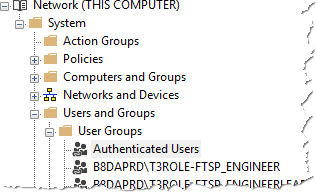
Downloading a project to an emulated controller can fail when:
- You download a project using the FactoryTalk Logix graphical user interface (GUI) or the API and
- FactoryTalk Logix Echo is protected using a security policy in FactoryTalk Services Platform.
Copyright © 2026 Rockwell Automation, Inc. All rights reserved.
Rockwell Automation, Allen-Bradley, and FactoryTalk are trademarks of Rockwell Automation, Inc.
To view a complete list of Rockwell Automation trademarks please click here.
Trademarks not belonging to Rockwell Automation are property of their respective companies.