
Release Notes
ControlLogix 5580 Process Controller, use ControlLogix 5580 Harsh Corrosive Environment Process Controller as a direct replacement.
Version 35.013 (released 2/2024)
Catalog Number 1756-L85EP (series B)
Security
This release includes security enhancements as a part of our ongoing efforts to improve security. For information regarding Rockwell Automation's vulnerability disclosure process, please reference the Rockwell Automation Vulnerability Policy.
Improved Product Resiliency for Firmware Revisions 34.014 and 35.013
Product improvements have been made to increase product resiliency to potentially disruptive activities. These enhancements have been verified not to affect product safety, performance, expected life, configuration, or operation of the product. Rockwell Automation recommends that you follow good Industrial Control System (ICS) security practices that include regular product updates. To maintain authenticity, obtain product updates and new releases directly from Rockwell Automation.
Controller Can Fail to Re-Establish an Outgoing Secured I/O Connection to Remote I/O Modules After a Cable-Break (1753900)
|
Controllers
|
First Known in Firmware Revision
|
Corrected in Firmware Revision
|
|
CompactLogix™ 5380
|
34.011
|
36.011 and later
|
|
Compact GuardLogix® 5380 SIL 2
|
34.011
|
36.011 and later
|
|
Compact GuardLogix 5380 SIL 3
|
34.011
|
36.011 and later
|
|
CompactLogix 5380 Process
|
34.011
|
36.011 and later
|
|
ControlLogix® 5580
|
34.011
|
36.011 and later
|
|
GuardLogix 5580
|
34.011
|
36.011 and later
|
|
ControlLogix 5580 Process
|
34.011
|
36.011 and later
|
Improved Product Resiliency for Redundancy Firmware Bundle Version 35.013_kit1
Product improvements have been made to increase product resiliency to potentially disruptive activities. These enhancements have been verified not to affect product safety, performance, expected life, configuration, or operation of the product. Rockwell Automation recommends that you follow good Industrial Control System (ICS) security practices that include regular product updates. To maintain authenticity, obtain product updates and new releases directly from Rockwell Automation.
CVE-2024-3493: Logix Controllers and Communication Modules Vulnerable to MNRF Due to Invalid Header Value
|
Controllers and Communication
Modules
|
First Known in Firmware
Revision
|
Corrected in Firmware
Revision
|
|
CompactLogix™ 5380
|
35.011
|
35.013, 36.011 and later
|
|
Compact GuardLogix® 5380 SIL 2
|
35.011
|
35.013, 36.011 and later
|
|
Compact GuardLogix 5380 SIL 3
|
35.011
|
35.013, 36.011 and later
|
|
CompactLogix 5380 Process
|
35.011
|
35.013, 36.011 and later
|
|
CompactLogix 5480
|
35.011
|
35.013, 36.011 and later
|
|
ControlLogix® 5580
|
35.011
|
35.013, 36.011 and later
|
|
GuardLogix 5580
|
35.011
|
35.013, 36.011 and later
|
|
ControlLogix 5580 Process
|
35.011
|
35.013, 36.011 and later
|
|
1756-EN4TR, 1756-EN4TRK,
1756-EN4TRXT
|
5.001
|
6.001 and later
|
For a full list of the potentially affected Rockwell Automation products and a description of the vulnerability, see Security Advisory ControlLogix and GuardLogix Vulnerable to major nonrecoverable fault due to Invalid Header Value.
Improved Product Resiliency for Redundancy Firmware Bundle Version 35.013_kit2
Product improvements have been made to increase product resiliency to potentially disruptive activities. These enhancements have been verified not to affect product safety, performance, expected life, configuration, or operation of the product. Rockwell Automation recommends that you follow good Industrial Control System (ICS) security practices that include regular product updates. To maintain authenticity, obtain product updates and new releases directly from Rockwell Automation.
CVE 2024-5659: Multicast Request Causes Major Nonrecoverable Fault on Select Controllers
|
Controllers and Communication
Modules
|
First Known in
Firmware Revision
|
Corrected in Firmware Revision
|
|
CompactLogix™ 5380
|
34.011
|
V34.014, V35.013, V36.011 and later
|
|
Compact GuardLogix® 5380 SIL 2
|
34.011
|
V34.014, V35.013, V36.011 and later
|
|
Compact GuardLogix 5380 SIL 3
|
34.011
|
V34.014, V35.013, V36.011 and later
|
|
CompactLogix 5380 Process
|
34.011
|
V34.014, V35.013, V36.011 and later
|
|
CompactLogix 5480
|
34.011
|
V34.014, V35.013, V36.011 and later
|
|
ControlLogix® 5580
|
34.011
|
V34.014, V35.013, V36.011 and later
|
|
GuardLogix 5580
|
34.011
|
V34.014, V35.013, V36.011 and later
|
|
ControlLogix 5580 Process
|
34.011
|
V34.014, V35.013, V36.011 and later
|
|
1756-EN4TR, 1756-EN4TRK,
1756-EN4TRXT
|
4.001
|
6.001 and later
|
For a full list of the potentially affected Rockwell Automation products and a description of the vulnerability, see Security Advisory ControlLogix and GuardLogix Vulnerable to Multicast Request Causes major nonrecoverable fault on Select Controllers.
Requirements
This release has the following requirements.
Controller Restrictions in Redundancy Systems with Revision 35.013_kit1
Known Restrictions as of ControlLogix® Redundancy Revision 35.013_kit1
This revision supports the following: ControlLogix 5580 controllers, 1756-RM2, 1756-RM2K, and 1756-RM2XT modules.
1756-EN2T, 1756-EN2TK, 1756-EN2TR, 1756-EN2TXT, 1756-EN2F, 1756-EN2FK, 1756-EN2TP, 1756-EN2TPK, 1756-EN2TPXT:
The 1756-EN2x communication modules do not support bumpless I/O on switchover with Immediate Output (IOT) instructions. Because these modules do not support bumpless I/O on switchover with the IOT instruction, they cannot override the RPI in a remote chassis and immediately send new data over the EtherNet/IP network.
1756-EN4TR, 1756-EN4TRK, 1756-EN4TRXT:
The 1756-EN4TR modules with firmware revision 4.001 or later support CIP Security for program upload/download/monitoring (not I/O) when the modules are paired with redundant ControlLogix 5580 controllers in the redundant chassis pair. The ControlLogix 5580 controllers must be at firmware revision 34.011 or later, and the 1756-EN4TR pair must be configured for non-IP address swapping.
The 1756-EN4TR modules are also supported in a remote rack as a standard adapter or in a redundant adapter architecture.
ControlLogix 5580 redundancy-enabled controllers, 1756-EN2T, 1756-EN2TK, 1756-EN2TR, 1756-EN2TRK, 1756-EN2TRXT, 1756-EN2TXT, 1756-EN2F, 1756-EN2FK, 1756-EN2TP, 1756-EN2TPK, 1756-EN2TPXT, 1756-EN4TR, 1756-EN4TRK, 1756-EN4TRXT:
A redundant controller project cannot contain consumed Unicast connections. The project can contain produced Unicast tags that are consumed by remote consumers.
CIP Sync Technology Included in Redundant Systems:
1 - There are differences between CIP Sync technology in non-redundant systems and redundancy systems.
2 - IMPORTANT: Before you use this enhancement in a redundancy system, see these publications for a full understanding of CIP Sync technology in any system:
- ControlLogix 5580 Redundant Controller User Manual, publication 1756-UM015
- Integrated Architecture® and CIP Sync Configuration Application Technique, publication IA-AT003
Consider the following when you use CIP Sync technology in a redundancy system:
1 - If you enable CIP Sync Time Synchronization in the controllers in a redundant chassis pair, you must also enable Time Synchronization in the EtherNet/IP communication modules in the redundant chassis pair so all devices have one path to the Grandmaster.
2 - If time synchronization is enabled in any controller in the primary chassis of a disqualified Redundant Chassis Pair, and no EtherNet/IP communication modules in the primary chassis have time synchronization enabled, the redundant chassis pair attempts to qualify. However, in these application conditions, the attempt to qualify fails.
3 - While CIP Sync technology can handle multiple paths between master and slave clocks, it resolves mastership most effectively if you configure the redundant paths so that Time Synchronization is enabled in only the minimum required number of EtherNet/IP communication modules.
For example, if your redundant chassis pair has three 1756-EN2T communication modules and all are connected to the same network, enable Time Synchronization in only one of the modules.
4 - If the primary controller is the Grandmaster, the redundancy system automatically manages the CIP Sync clock attributes so that the controller in the primary chassis is always set to be the Grandmaster instead of the secondary controller. This clock management makes sure that a change to a new Grandmaster when the redundancy system switches over.
When a switchover occurs, these events take place:
- The Grandmaster status transfers from the original primary controller to the new primary controller. This transfer can take longer to complete than if Grandmaster status was transferred between devices in a non-redundant system.
- The synchronization of the redundancy system can take longer when you use CIP Sync technology.
ControlLogix 5580 controllers
You can have only one controller in each chassis in a redundant chassis pair.
The embedded EtherNet port is disabled when the controller is enabled for redundancy.
Do not use Match Project to Controller property with redundant controllers. If you use the Match Project to Controller property available in the Advanced tab of the Controller Properties dialog box, you cannot go online with, download to, or upload from the new primary controller after a switchover. This is because the serial number of the new primary controller is not the same as the serial number of the old primary controller and the project cannot be matched to the new primary controller.
The Firmware Supervisor feature is not supported in a redundant system.
You cannot use event tasks in a ControlLogix redundancy system. When you enable redundancy, you must change event tasks to nonevent tasks or delete them from your project.
You cannot use Motion in ControlLogix redundancy systems. A remote controller can contain motion instructions even if it is on the same network as a redundancy system.
Under some error conditions, often configuration related, the 1756-RM2 module continually attempts to requalify the system while the error prevents it from being successful. This causes the redundancy module error log to fill with the same error condition. If the system is in this condition, the redundancy module display cycles between QFNG and DISQ. To stop this from happening, change the redundancy module synchronization trigger in the Redundancy Module Configuration Tool (RMCT) to Never, until the error condition is corrected.
The MinDurationACC alarm tag member value does not update, and it stays at a 0 value. This change does not affect the MinDuration calculations.
1756-EN2T, 1756-EN2TK, 1756-EN2TR, 1756-EN2TRK, 1756-EN2TRXT, 1756-EN2TXT, 1756-EN2F, 1756-EN2FK, 1756-EN2TP, 1756-EN2TPK, 1756-EN2TPXT:
The System Event History displays a `Module Failure’ entry when you insert a 1756-EN2x communication module in the chassis while the redundant chassis pair is synchronized. This is not indicative of any module failure; instead, it indicates that only a communication module was inserted in the chassis.
Digitally Signed Ethernet Module Firmware for Revision 35.013_kit1
Catalog Numbers:
1756-EN2T/C, 1756-EN2TXT/C, 1756-EN2T/D, 1756-EN2TK/D, 1756-EN2TXT/D, 1756-EN2TR/B, 1756-EN2TRXT/B, 1756-EN2TR/C, 1756-EN2TRK/C, 1756-EN2TP/A, 1756-EN2TPK/A, 1756-EN2TPXT/A, 1756-EN2F/B, 1756-EN2FK/B, 1756-EN2F/C, 1756-EN2FK/C, 1756-EN4TR/A, 1756-EN4TRK/A, 1756-EN4TRXT/A
Digitally signed firmware provides more security over the unsigned firmware. This firmware is different based on the EtherNet/IP communication modules you use.
|
Cat. No.
|
Supported
Firmware
Revisions
|
Digitally Signed
Firmware
|
Included with this
Redundancy Bundle
|
| 1756-EN2T/D
1756-EN2TK/D
1756-EN2TXT/D
|
11.004
|
Yes
|
Yes
|
| 1756-EN2T/C or earlier
1756-EN2TXT/C or earlier
|
5.009
|
No
|
Yes
|
|
5.029
|
Yes
|
No
| |
| 1756-EN2TP/A
1756-EN2TPK/A
1756-EN2TPXT/A
|
11.004
|
Yes
|
Yes
|
| 1756-EN2TR/C
1756-EN2TRK/C
|
11.004
|
Yes
|
Yes
|
| 1756-EN2TR/B or earlier
1756-EN2TRXT/B or
earlier
|
5.009
|
No
|
Yes
|
|
5.029
|
Yes
|
No
| |
| 1756-EN2F/C
1756-EN2FK/C
|
11.004
|
Yes
|
Yes
|
| 1756-EN2F/B or earlier
1756-EN2FK/B or earlier
|
5.009
|
No
|
Yes
|
|
5.029
|
Yes
|
No
| |
| 1756-EN4TR/A
1756-EN4TRK/A
1756-EN4TRXT/A
|
6.001
|
Yes
|
Yes
|
Firmware revision 5.029 is not included in the redundancy system, revision 35.013_kit1 firmware bundle. You must download and install this digitally signed firmware after the redundancy bundle is installed.
Important: When you install the digitally signed firmware, that is, firmware revision 5.029, into a 1756-EN2T/C (or earlier), 1756-EN2TR/B (or earlier), or 1756-EN2F/B (or earlier) module, the installation makes the module incompatible with some firmware revisions. For example, after you update firmware, the module supports use of only digitally signed firmware. The module rejects any unsigned firmware updates.
You can download firmware revision 5.029 and the redundancy system firmware bundle, revision 35.013_kit1, at the Product Compatibility and Download Center.
Tip: Select the base catalog number in ControlFLASH PLUS™ software when upgrading extended temperature or conformal coated modules. For example, select the 1756-EN2TR when upgrading a 1756-EN2TRXT module. Extended temperature and conformal coated modules use the same Redundancy module ControlFLASH PLUS kit.
ControlLogix Redundancy System Components Revision 35.013_kit1
Catalog Numbers: ControlLogix® 5580 controllers, 1756-RM2, 1756-RM2K, 1756-RM2XT
This redundancy system revision includes the following:
|
Cat. No.
|
Module Description
|
Series
|
Firmware Revision
|
|
1756-EN2F 1756-EN2FK
|
ControlLogix EtherNet/IP
fiber communication
module
|
C
|
11.0041
|
|
B or earlier
|
5.009 or 5.0292
| ||
|
1756-EN2T
|
ControlLogix EtherNet/IP
communication module
|
D
|
11.0041
|
|
C or earlier
|
5.009 or 5.0292
| ||
|
1756-EN2TK
|
ControlLogix EtherNet/IP
communication module
(conformal coated)
|
D
|
11.0041
|
|
1756-EN2TXT
|
ControlLogix-XT™
EtherNet/IP communication
module
|
D
|
11.0041
|
|
C or earlier
|
5.009 or 5.0292
| ||
|
| |||
|
1756-EN2TP, 1756-EN2TPK,
1756-EN2TPXT
|
ControlLogix EtherNet/IP
communication module –
Parallel Redundancy
Protocol (PRP)
|
A
|
11.0041
|
|
1756-EN2TR
|
ControlLogix EtherNet/IP
communication module
|
C
|
11.0041
|
|
B or earlier
|
5.009 or 5.0292
| ||
|
1756-EN2TRK
|
ControlLogix EtherNet/IP
communication module
(conformal coated)
|
C
|
11.0041
|
|
1756-EN2TRXT
|
ControlLogix-XT
EtherNet/IP communication
module
|
C
|
11.0041
|
|
B
|
5.0292
| ||
|
1756-EN4TR, 1756-EN4TRK,
1756-EN4TRXT
|
ControlLogix EtherNet/IP
communication module
|
A
|
6.001
|
|
1756-L81E, 1756-L81EK,
1756-L82E, 1756-L82EK,
1756-L83E, 1756-L83EK,
1756-L84E, 1756-L84EK,
1756-L85E, 1756-L85EK
|
ControlLogix 5580 standard
controllers
|
B
|
35.013
|
|
1756-L81E-NSE, 1756-L82E-NSE,
1756-L83E-NSE, 1756-L84E-NSE,
1756-L85E-NSE
|
ControlLogix 5580 No
Stored Energy (NSE)
controllers
|
B
|
35.013
|
|
1756-L81EXT, 1756-L82EXT,
1756-L83EXT, 1756-L84EXT,
1756-L85EXT
|
ControlLogix-XT 5580
controllers
|
B
|
35.013
|
|
1756-L81EP, 1756-L83EP,
1756-L85EP
|
ControlLogix 5580 process
controllers
|
B
|
35.013
|
|
1756-RM2
|
ControlLogix redundancy
module
|
All
|
20.031
|
|
1756-RM2K
|
ControlLogix redundancy
module (conformal coated)
|
All
|
20.031
|
|
1756-RM2XT
|
ControlLogix-XT
redundancy module
|
All
|
20.031
|
|
1756-N2
|
Slot Filler Module
|
All
|
N/A
|
(1) Firmware revision 11.004 is digitally signed firmware.
(2) Firmware revision 5.029 is digitally signed firmware. Firmware revision 5.009 is unsigned firmware.
Additional Resources for Revision 35.013_kit1
For more information on how to install, configure and use your ControlLogix redundancy system, see:
The ControlLogix Redundancy Modules Installation Instructions, publication 1756-IN087.
The ControlLogix 5580 Redundant Controller User Manual, publication 1756-UM015.
High Availability System Reference Manual, publication HIGHAV-RM002.
Replacement Guidelines: Logix 5000™ Controllers, publication 1756-RM100.
ControlLogix Redundancy Compatible Software for Revision 35.013_kit1
Catalog Numbers: ControlLogix® 5580 controllers (including ControlLogix-XT™ and K versions).
|
Software
|
Required Software Version, Min
|
|
CompareTool
|
9.01.00
|
|
ControlFLASH Plus™
|
5.00.00
|
|
FactoryTalk® Services Platform
|
6.31.00 (CPR9-SR13)
|
|
FactoryTalk Activation Manager
|
5.00.00 (CPR9-SR13)
|
|
FactoryTalk Alarms and Events(1)
|
6.31.00 (CPR9-SR13)
|
|
FactoryTalk AssetCentre
|
12.00.00 (CPR9-SR13)
|
|
FactoryTalk Batch
|
15.00.00 (3)
|
|
FactoryTalk View Site Edition(2)
|
13.00.00 (CPR9-SR13)
|
|
FactoryTalk Linx Redundancy Module
Configuration Tool
|
9.01
|
|
FactoryTalk Linx (4)
|
6.31.00 (CPR9-SR13)
|
|
RSLinx® Classic
|
4.30.00 (CPR9-SR13)
|
|
Studio 5000 Logix Designer®
|
35.00.00
|
(1) You must download a FactoryTalk Alarm and Events patch. See Knowledgebase Article Master list of all available Patch TOCs.
(2) The installation of FactoryTalk View Site Edition also installs FactoryTalk Services Platform, which installs FactoryTalk Alarms and Events. Also, if you download and install the latest FactoryTalk Services Patch Rollup, this patch automatically installs the patch for FactoryTalk Alarms and Events.
(3) Use the most recent FactoryTalk Batch Patch Roll-up with this redundancy firmware revision. For the most recent patch roll-up, see Knowledgebase Article Master list of all available Patch TOCs.
(4) For the most recent FactoryTalk Linx patch roll-up, see Rockwell Automation Knowledgebase Article Master list of all available Patch TOCs.
|
From Firmware Revision
|
Firmware Revision Updates Conditionally Not Allowed*
|
|
33.011_kit1
|
—
|
|
33.011_kit2
|
—
|
|
33.012_kit1
|
—
|
|
33.015_kit1
|
—
|
|
33.015_kit2
|
34.011_kit1
|
|
33.017_kit1
|
34.011_kit1, 34.011_kit2, 34.014_kit1
|
|
33.017_kit2
|
34.011_kit1, 34.011_kit2, 34.014_kit1, 34.014_kit2, 34.015_kit1
|
|
34.011_kit1
|
—
|
|
34.011_kit2
|
35.011_kit1
|
|
34.014_kit1
|
35.011_kit1, 35.011_kit2, 35.011_kit3
|
|
34.014_kit2
|
35.011_kit1, 35.011_kit2, 35.011_kit3, 35.013_kit1
|
|
34.015_kit1
|
35.011_kit1, 35.011_kit2, 35.011_kit3, 35.013_kit1
|
|
34.015_kit2
|
35.011_kit1, 35.011_kit2, 35.011_kit3, 35.013_kit1, 35.013_kit2, 35.014_kit1
|
|
35.011_kit1
|
—
|
|
35.011_kit2
|
—
|
|
35.011_kit3
|
—
|
|
35.013_kit1
|
—
|
|
35.013_kit2
|
36.011_kit1
|
|
35.014_kit1
|
36.011_kit1
|
|
35.014_kit2
|
36.011_kit1, 36.011_kit2
|
|
35.016_kit1
|
36.011_kit1, 36.011_kit2
|
|
35.017_kit1
|
36.011_kit1, 36.011_kit2, 36.011_kit3, 36.013_kit1
|
|
36.011_kit1
|
—
|
|
36.011_kit2
|
—
|
|
36.011_kit3
|
37.011_kit1
|
|
36.013_kit1
|
37.011_kit1
|
|
36.014_kit1
|
37.011_kit1, 37.011_kit2, 37.012_kit1
|
|
37.011_kit1
|
—
|
|
37.011_kit2
|
—
|
|
37.012_kit1
|
—
|
|
37.013_kit1
|
38.011_kit1
|
|
38.011_kit1
|
—
|
Digitally Signed Ethernet Module Firmware for Revision 35.013_kit2
Catalog Numbers:
1756-EN2T/C, 1756-EN2TXT/C, 1756-EN2T/D, 1756-EN2TK/D, 1756-EN2TXT/D, 1756-EN2TR/B, 1756-EN2TRXT/B, 1756-EN2TR/C, 1756-EN2TRK/C, 1756-EN2TP/A, 1756-EN2TPK/A, 1756-EN2TPXT/A, 1756-EN2F/B, 1756-EN2FK/B, 1756-EN2F/C, 1756-EN2FK/C, 1756-EN4TR/A, 1756-EN4TRK/A, 1756-EN4TRXT/A
Digitally signed firmware provides more security over the unsigned firmware. This firmware is different based on the EtherNet/IP communication modules you use.
|
Cat. No.
|
Supported
Firmware
Revisions
|
Digitally Signed
Firmware
|
Included with this
Redundancy Bundle
|
| 1756-EN2T/D
1756-EN2TK/D
1756-EN2TXT/D
|
12.001
|
Yes
|
Yes
|
| 1756-EN2T/C or earlier
1756-EN2TXT/C or earlier
|
5.009
|
No
|
Yes
|
|
5.029
|
Yes
|
No
| |
| 1756-EN2TP/A
1756-EN2TPK/A
1756-EN2TPXT/A
|
12.001
|
Yes
|
Yes
|
| 1756-EN2TR/C
1756-EN2TRK/C
|
12.001
|
Yes
|
Yes
|
| 1756-EN2TR/B or earlier
1756-EN2TRXT/B or
earlier
|
5.009
|
No
|
Yes
|
|
5.029
|
Yes
|
No
| |
| 1756-EN2F/C
1756-EN2FK/C
|
12.001
|
Yes
|
Yes
|
| 1756-EN2F/B or earlier
1756-EN2FK/B or earlier
|
5.009
|
No
|
Yes
|
|
5.029
|
Yes
|
No
| |
| 1756-EN4TR/A
1756-EN4TRK/A
1756-EN4TRXT/A
|
6.001
|
Yes
|
Yes
|
Firmware revision 5.029 is not included in the redundancy system, revision 35.013_kit2 firmware bundle. You must download and install this digitally signed firmware after the redundancy bundle is installed.
Important: When you install the digitally signed firmware, that is, firmware revision 5.029, into a 1756-EN2T/C (or earlier), 1756-EN2TR/B (or earlier), or 1756-EN2F/B (or earlier) module, the installation makes the module incompatible with some firmware revisions. For example, after you update firmware, the module supports use of only digitally signed firmware. The module rejects any unsigned firmware updates.
You can download firmware revision 5.029 and the redundancy system firmware bundle, revision 35.013_kit2, at the Product Compatibility and Download Center.
Tip: Select the base catalog number in ControlFLASH PLUS™ software when upgrading extended temperature or conformal coated modules. For example, select the 1756-EN2TR when upgrading a 1756-EN2TRXT module. Extended temperature and conformal coated modules use the same Redundancy module ControlFLASH PLUS kit.
ControlLogix Redundancy System Components Revision 35.013_kit2
Catalog Numbers: ControlLogix® 5580 controllers, 1756-RM2, 1756-RM2K, 1756-RM2XT
This redundancy system revision includes the following:
|
Cat. No.
|
Module Description
|
Series
|
Firmware Revision
|
|
1756-EN2F 1756-EN2FK
|
ControlLogix EtherNet/IP
fiber communication
module
|
C
|
12.0011
|
|
B or earlier
|
5.009 or 5.0292
| ||
|
1756-EN2T
|
ControlLogix EtherNet/IP
communication module
|
D
|
12.0011
|
|
C or earlier
|
5.009 or 5.0292
| ||
|
1756-EN2TK
|
ControlLogix EtherNet/IP
communication module
(conformal coated)
|
D
|
12.0011
|
|
1756-EN2TXT
|
ControlLogix-XT™
EtherNet/IP communication
module
|
D
|
12.0011
|
|
C or earlier
|
5.009 or 5.0292
| ||
|
| |||
|
1756-EN2TP, 1756-EN2TPK,
1756-EN2TPXT
|
ControlLogix EtherNet/IP
communication module –
Parallel Redundancy
Protocol (PRP)
|
A
|
12.0011
|
|
1756-EN2TR
|
ControlLogix EtherNet/IP
communication module
|
C
|
12.0011
|
|
B or earlier
|
5.009 or 5.0292
| ||
|
1756-EN2TRK
|
ControlLogix EtherNet/IP
communication module
(conformal coated)
|
C
|
12.0011
|
|
1756-EN2TRXT
|
ControlLogix-XT
EtherNet/IP communication
module
|
C
|
12.0011
|
|
B
|
5.0292
| ||
|
1756-EN4TR, 1756-EN4TRK,
1756-EN4TRXT
|
ControlLogix EtherNet/IP
communication module
|
A
|
6.001
|
|
1756-L81E, 1756-L81EK,
1756-L82E, 1756-L82EK,
1756-L83E, 1756-L83EK,
1756-L84E, 1756-L84EK,
1756-L85E, 1756-L85EK
|
ControlLogix 5580 standard
controllers
|
B
|
35.013
|
|
1756-L81E-NSE, 1756-L82E-NSE,
1756-L83E-NSE, 1756-L84E-NSE,
1756-L85E-NSE
|
ControlLogix 5580 No
Stored Energy (NSE)
controllers
|
B
|
35.013
|
|
1756-L81EXT, 1756-L82EXT,
1756-L83EXT, 1756-L84EXT,
1756-L85EXT
|
ControlLogix-XT 5580
controllers
|
B
|
35.013
|
|
1756-L81EP, 1756-L83EP,
1756-L85EP
|
ControlLogix 5580 process
controllers
|
B
|
35.013
|
|
1756-RM2
|
ControlLogix redundancy
module
|
All
|
20.031
|
|
1756-RM2K
|
ControlLogix redundancy
module (conformal coated)
|
All
|
20.031
|
|
1756-RM2XT
|
ControlLogix-XT
redundancy module
|
All
|
20.031
|
|
1756-N2
|
Slot Filler Module
|
All
|
N/A
|
(1) Firmware revision 12.001 is digitally signed firmware.
(2) Firmware revision 5.029 is digitally signed firmware. Firmware revision 5.009 is unsigned firmware.
Additional Resources for Revision 35.013_kit2
For more information on how to install, configure and use your ControlLogix redundancy system, see:
The ControlLogix Redundancy Modules Installation Instructions, publication 1756-IN087.
The ControlLogix 5580 Redundant Controller User Manual, publication 1756-UM015.
High Availability System Reference Manual, publication HIGHAV-RM002.
Replacement Guidelines: Logix 5000™ Controllers, publication 1756-RM100.
ControlLogix Redundancy Compatible Software for Revision 35.013_kit2
Catalog Numbers: ControlLogix® 5580 controllers (including ControlLogix-XT™ and K versions).
|
Software
|
Required Software Version, Min
|
|
CompareTool
|
9.01.00
|
|
ControlFLASH Plus™
|
5.00.00
|
|
FactoryTalk® Services Platform
|
6.31.00 (CPR9-SR13)
|
|
FactoryTalk Activation Manager
|
5.00.00 (CPR9-SR13)
|
|
FactoryTalk Alarms and Events(1)
|
6.31.00 (CPR9-SR13)
|
|
FactoryTalk AssetCentre
|
12.00.00 (CPR9-SR13)
|
|
FactoryTalk Batch
|
15.00.00 (3)
|
|
FactoryTalk View Site Edition(2)
|
13.00.00 (CPR9-SR13)
|
|
FactoryTalk Linx Redundancy Module
Configuration Tool
|
9.01
|
|
FactoryTalk Linx (4)
|
6.31.00 (CPR9-SR13)
|
|
RSLinx® Classic
|
4.30.00 (CPR9-SR13)
|
|
Studio 5000 Logix Designer®
|
35.00.00
|
(1) You must download a FactoryTalk Alarm and Events patch. See Knowledgebase Article Master list of all available Patch TOCs.
(2) The installation of FactoryTalk View Site Edition also installs FactoryTalk Services Platform, which installs FactoryTalk Alarms and Events. Also, if you download and install the latest FactoryTalk Services Patch Rollup, this patch automatically installs the patch for FactoryTalk Alarms and Events.
(3) Use the most recent FactoryTalk Batch Patch Roll-up with this redundancy firmware revision. For the most recent patch roll-up, see Knowledgebase Article Master list of all available Patch TOCs.
(4) For the most recent FactoryTalk Linx patch roll-up, see Rockwell Automation Knowledgebase Article Master list of all available Patch TOCs.
Controller Restrictions in Redundancy Systems with Revision 35.013_kit2
Known Restrictions as of ControlLogix® Redundancy Revision 35.013_kit2
This revision supports the following: ControlLogix 5580 controllers, 1756-RM2, 1756-RM2K, and 1756-RM2XT modules.
1756-EN2T, 1756-EN2TK, 1756-EN2TR, 1756-EN2TXT, 1756-EN2F, 1756-EN2FK, 1756-EN2TP, 1756-EN2TPK, 1756-EN2TPXT:
The 1756-EN2x communication modules do not support bumpless I/O on switchover with Immediate Output (IOT) instructions. Because these modules do not support bumpless I/O on switchover with the IOT instruction, they cannot override the RPI in a remote chassis and immediately send new data over the EtherNet/IP network.
1756-EN4TR, 1756-EN4TRK, 1756-EN4TRXT:
The 1756-EN4TR modules with firmware revision 4.001 or later support CIP Security for program upload/download/monitoring (not I/O) when the modules are paired with redundant ControlLogix 5580 controllers in the redundant chassis pair. The ControlLogix 5580 controllers must be at firmware revision 34.011 or later, and the 1756-EN4TR pair must be configured for non-IP address swapping.
The 1756-EN4TR modules are also supported in a remote rack as a standard adapter or in a redundant adapter architecture.
ControlLogix 5580 redundancy-enabled controllers, 1756-EN2T, 1756-EN2TK, 1756-EN2TR, 1756-EN2TRK, 1756-EN2TRXT, 1756-EN2TXT, 1756-EN2F, 1756-EN2FK, 1756-EN2TP, 1756-EN2TPK, 1756-EN2TPXT, 1756-EN4TR, 1756-EN4TRK, 1756-EN4TRXT:
A redundant controller project cannot contain consumed Unicast connections. The project can contain produced Unicast tags that are consumed by remote consumers.
CIP Sync Technology Included in Redundant Systems:
1 - There are differences between CIP Sync technology in non-redundant systems and redundancy systems.
2 - IMPORTANT: Before you use this enhancement in a redundancy system, see these publications for a full understanding of CIP Sync technology in any system:
- ControlLogix 5580 Redundant Controller User Manual, publication 1756-UM015
- Integrated Architecture® and CIP Sync Configuration Application Technique, publication IA-AT003
Consider the following when you use CIP Sync technology in a redundancy system:
1 - If you enable CIP Sync Time Synchronization in the controllers in a redundant chassis pair, you must also enable Time Synchronization in the EtherNet/IP communication modules in the redundant chassis pair so all devices have one path to the Grandmaster.
2 - If time synchronization is enabled in any controller in the primary chassis of a disqualified Redundant Chassis Pair, and no EtherNet/IP communication modules in the primary chassis have time synchronization enabled, the redundant chassis pair attempts to qualify. However, in these application conditions, the attempt to qualify fails.
3 - While CIP Sync technology can handle multiple paths between master and slave clocks, it resolves mastership most effectively if you configure the redundant paths so that Time Synchronization is enabled in only the minimum required number of EtherNet/IP communication modules.
For example, if your redundant chassis pair has three 1756-EN2T communication modules and all are connected to the same network, enable Time Synchronization in only one of the modules.
4 - If the primary controller is the Grandmaster, the redundancy system automatically manages the CIP Sync clock attributes so that the controller in the primary chassis is always set to be the Grandmaster instead of the secondary controller. This clock management makes sure that a change to a new Grandmaster when the redundancy system switches over.
When a switchover occurs, these events take place:
- The Grandmaster status transfers from the original primary controller to the new primary controller. This transfer can take longer to complete than if Grandmaster status was transferred between devices in a non-redundant system.
- The synchronization of the redundancy system can take longer when you use CIP Sync technology.
ControlLogix 5580 controllers
You can have only one controller in each chassis in a redundant chassis pair.
The embedded EtherNet port is disabled when the controller is enabled for redundancy.
Do not use Match Project to Controller property with redundant controllers. If you use the Match Project to Controller property available in the Advanced tab of the Controller Properties dialog box, you cannot go online with, download to, or upload from the new primary controller after a switchover. This is because the serial number of the new primary controller is not the same as the serial number of the old primary controller and the project cannot be matched to the new primary controller.
The Firmware Supervisor feature is not supported in a redundant system.
You cannot use event tasks in a ControlLogix redundancy system. When you enable redundancy, you must change event tasks to nonevent tasks or delete them from your project.
You cannot use Motion in ControlLogix redundancy systems. A remote controller can contain motion instructions even if it is on the same network as a redundancy system.
Under some error conditions, often configuration related, the 1756-RM2 module continually attempts to requalify the system while the error prevents it from being successful. This causes the redundancy module error log to fill with the same error condition. If the system is in this condition, the redundancy module display cycles between QFNG and DISQ. To stop this from happening, change the redundancy module synchronization trigger in the Redundancy Module Configuration Tool (RMCT) to Never, until the error condition is corrected.
The MinDurationACC alarm tag member value does not update, and it stays at a 0 value. This change does not affect the MinDuration calculations.
1756-EN2T, 1756-EN2TK, 1756-EN2TR, 1756-EN2TRK, 1756-EN2TRXT, 1756-EN2TXT, 1756-EN2F, 1756-EN2FK, 1756-EN2TP, 1756-EN2TPK, 1756-EN2TPXT:
The System Event History displays a `Module Failure’ entry when you insert a 1756-EN2x communication module in the chassis while the redundant chassis pair is synchronized. This is not indicative of any module failure; instead, it indicates that only a communication module was inserted in the chassis.
Corrected Anomalies in This Release
This release corrects the following anomalies.
|
Device
|
First Known in
Firmware Revision
|
Corrected in Firmware Revision
|
|
CompactLogix® 5380
|
28.011
|
34.014, 35.013, 36.011 and later
|
|
Compact GuardLogix® 5380 SIL 2
|
31.011
|
34.014, 35.013, 36.011 and later
|
|
Compact GuardLogix 5380 SIL 3
|
32.013
|
34.014, 35.013, 36.011 and later
|
|
CompactLogix 5380 Process
|
33.011
|
34.014, 35.013, 36.011 and later
|
|
CompactLogix 5480
|
32.011
|
34.014, 35.013, 36.011 and later
|
|
ControlLogix® 5580
|
28.011
|
34.014, 35.013, 36.011 and later
|
|
GuardLogix 5580
|
31.011
|
34.014, 35.013, 36.011 and later
|
|
ControlLogix 5580 Process
|
33.011
|
34.014, 35.013, 36.011 and later
|
|
1756-EN4TR
|
2.001
|
6.001 and later
|
|
1756-EN3TR/B, 1756-EN2TR/C
|
10.007
|
12.001 and later
|
|
1756-EN2TP
|
10.020
|
12.001 and later
|
|
1756-EN2T/D
|
10.006
|
12.001 and later
|
|
1756-EN2F/C
|
10.009
|
12.001 and later
|
I/O Device Configured Within a 5032 IO-Link Module Stuck in Shutting Down State (2003359, 2117004)
|
Controllers
|
First Known in Firmware Revision
|
Corrected in Firmware Revision
|
|
CompactLogix™ 5380
|
35.011
|
35.013, 36.011 and later
|
|
Compact GuardLogix® 5380 SIL
2
|
35.011
|
35.013, 36.011 and later
|
|
Compact GuardLogix 5380 SIL 3
|
35.011
|
35.013, 36.011 and later
|
|
CompactLogix 5380 Process
|
35.011
|
35.013, 36.011 and later
|
|
CompactLogix 5480
|
35.011
|
35.013, 36.011 and later
|
|
ControlLogix® 5580
|
35.011
|
35.013, 36.011 and later
|
|
GuardLogix 5580
|
35.011
|
35.013, 36.011 and later
|
|
ControlLogix 5580 Process
|
35.011
|
35.013, 36.011 and later
|
If the configuration of an I/O device within a 5032 IO-Link module fails while performing greater than 20 simultaneous configurations, one or more I/O devices can get stuck in the Shutting Down state.
For more information, see Knowledgebase Technote IO-Link device shows Shutting Down.
SD Status Indicator Flashes When I/O Connection Errors Exist (1917586, 1917602, 1917603)
|
Controllers
|
First Known in Firmware Revision
|
Corrected in Firmware Revision
|
|
CompactLogix™ 5380
|
34.011
|
34.014, 35.013, 36.011 and later
|
|
Compact GuardLogix® 5380 SIL 2
|
34.011
|
34.014, 35.013, 36.011 and later
|
|
Compact GuardLogix 5380 SIL 3
|
34.011
|
34.014, 35.013, 36.011 and later
|
|
CompactLogix 5380 Process
|
34.011
|
34.014, 35.013, 36.011 and later
|
|
CompactLogix 5480
|
34.011
|
34.014, 35.013, 36.011 and later
|
|
ControlLogix® 5580
|
34.011
|
34.014, 35.013, 36.011 and later
|
|
GuardLogix 5580
|
34.011
|
34.014, 35.013, 36.011 and later
|
|
ControlLogix 5580 Process
|
34.011
|
34.014, 35.013, 36.011 and later
|
The SD status indicator flashes and decreases SD card performance when I/O connection errors exist. The impact on SD card performance is directly related to the number of I/O connection errors present at that time.
Open Socket Functionality Not Behaving as Expected (1957130, 1957175)
|
Controllers and Communication Modules
|
First Known in Firmware Revision
|
Corrected in Firmware Revision
|
|
CompactLogix™ 5380
|
35.011
|
35.013, 36.011 and later
|
|
Compact GuardLogix® 5380 SIL 2
|
35.011
|
35.013, 36.011 and later
|
|
Compact GuardLogix 5380 SIL 3
|
35.011
|
35.013, 36.011 and later
|
|
CompactLogix 5380 Process
|
35.011
|
35.013, 36.011 and later
|
|
CompactLogix 5480
|
35.011
|
35.013, 36.011 and later
|
|
ControlLogix® 5580
|
35.011
|
35.013, 36.011 and later
|
|
GuardLogix 5580
|
35.011
|
35.013, 36.011 and later
|
|
ControlLogix 5580 Process
|
35.011
|
35.013, 36.011 and later
|
|
1756-EN4TR, 1756-EN4TRK, 1756-EN4TRXT
|
5.001
|
—
|
In a Socket Read Message, when reading an empty TCP Ethernet Buffer (buffer length of 0), the expectation is that a 12 byte header will be returned for the Socket Read Message’s .DN_LEN ([MessageTag].DN_LEN=12).
Instead, 0 bytes are returned by the message ([MessageTag].DN_LEN=0).
This anomaly affects the Rockwell Automation® Sample Code Add-On Instructions and Applications. For more information and a workaround for this anomaly, see the Knowledgebase Technote Socket functionality may not behave as expected in specific Logix controllers at version 35.011 and 1756-EN4TR version 5.001.
Studio 5000 Logix Designer Trends Can Cause the Controller to MNRF (3062715, 3081542)
|
Controllers
|
First Known in Firmware Revision
|
Corrected in Firmware Revision
|
|
CompactLogix™ 5380
|
35.011
|
35.013, 36.011 and later
|
|
Compact GuardLogix® 5380 SIL 2
|
35.011
|
35.013, 36.011 and later
|
|
Compact GuardLogix 5380 SIL 3
|
35.011
|
35.013, 36.011 and later
|
|
CompactLogix 5380 Process
|
35.011
|
35.013, 36.011 and later
|
|
CompactLogix 5480
|
35.011
|
35.013, 36.011 and later
|
|
ControlLogix® 5580
|
35.011
|
35.013, 36.011 and later
|
|
GuardLogix 5580
|
35.011
|
35.013, 36.011 and later
|
|
ControlLogix 5580 Process
|
35.011
|
35.013, 36.011 and later
|
If the Studio 5000 Logix Designer® application shuts down unexpectedly while running trends, the controller can experience a major non-recoverable fault (MNRF).
Workaround: If the Logix Designer application is running trends and shuts down unexpectedly, open Microsoft Windows Task Manager, select the RATrendSrvU.exe task, and click End task.
Controller Can Experience a MNRF When You Inhibit and Uninhibit an Axis and Drive (2069903, 2162056, 2162057)
|
Controllers
|
First Known in Firmware Revision
|
Corrected in Firmware Revision
|
|
CompactLogix™ 5380
|
34.011
|
34.014, 35.013, 36.011 and later
|
|
Compact GuardLogix® 5380 SIL 2
|
34.011
|
34.014, 35.013, 36.011 and later
|
|
Compact GuardLogix 5380 SIL 3
|
34.011
|
34.014, 35.013, 36.011 and later
|
|
CompactLogix 5380 Process
|
34.011
|
34.014, 35.013, 36.011 and later
|
|
CompactLogix 5480
|
34.011
|
34.014, 35.013, 36.011 and later
|
|
ControlLogix® 5580
|
34.011
|
34.014, 35.013, 36.011 and later
|
|
GuardLogix 5580
|
34.011
|
34.014, 35.013, 36.011 and later
|
|
ControlLogix 5580 Process
|
34.011
|
34.014, 35.013, 36.011 and later
|
Inhibiting the Axis and then the associated Drive with SSV instructions (in that order) can cause the controller to experience a major non-recoverable fault (MNRF).
Workaround: Inhibit the Drive, then inhibit the Axis (in that order). The order of uninhibiting the axis and drive does not matter.
|
Anomaly
|
First Known in
Firmware Revision
|
Corrected in Firmware
Revision
|
| The equipment fault alarm (Sts_EqpFault), IO fault alarm
(Sts_IOFault), and interlock trip alarm (Sts_IntlkTrip) are incorrectly
allowed to alarm when the object was “Out of Service” (Sts_OoS).
(2059951, 3052120, 3052146)
|
33.011
|
33.017, 35.013, 36.011
and later
|
|
Anomaly
|
First Known in
Firmware Revision
|
Corrected in Firmware Revision
|
| When limit switches are used for feedback instead of an
analog position feedback, the indication on the dialog box
and HMI was not accurate to the position of the valve.
(2185730, 2296172, 2296183, 2296204)
|
33.011
|
33.017, 34.014, 35.013, 36.011
and later
|
| The deviation alarm (Sts_Dev) incorrectly alarms when
the instruction was “Out of Service” (Sts_OoS).
(2185779, 2297867, 2297871, 3064567)
|
33.011
|
33.017, 34.014, 35.013, 36.011
and later
|
| Cfg_CVIntlk incorrectly limits the value between
Cfg_CVEUMin and Cfg_CVEUMax.
(2185788, 2297912, 2297916, 2297921)
|
33.011
|
33.017, 34.014, 35.013, 36.011
and later
|
PDBC - PlantPAx® Embedded Instruction
Products: ControlLogix® 5580 Process Controllers, CompactLogix™ 5380 Process Controller
|
Anomaly
|
First Known in
Firmware Revision
|
Corrected in Firmware
Revision
|
| ORdy_ResetAckAll and XRdy_ResetAckAll incorrectly generates using
an intermediate for Sts_eNotify.0.
(2169383, 2305077, 2305078, 2305076)
|
33.011
|
33.017, 34.014, 35.013,
36.011 and later
|
| The high deviation alarm (Sts_HiDev), low deviation alarm
(Sts_LoDev), high rate of change decreasing alarm (Sts_HiRoCDecr),
and high rate of change increasing alarm (Sts_HiRoCIncr) incorrectly
alarm when the instruction was “Out of Service” (Sts_OoS).
(2169395, 2297883, 2297876, 2297887)
|
33.011
|
33.017, 34.014, 35.013,
36.011 and later
|
| When setpoint tracking (Cfg_SetTrack) is enabled, the logic
overwrites all setpoints, regardless of the current command source
of the instruction.
(2169400, 2306714, 2306715, 2306713)
|
33.011
|
33.017, 34.014, 35.013,
36.011 and later
|
PDOSE - PlantPAx® Embedded Instruction
Products: ControlLogix® 5580 Process Controllers, CompactLogix™ 5380 Process Controller
|
Anomaly
|
First Known in
Firmware
Revision
|
Corrected in
Firmware
Revision
|
| PlantPAx instructions for end devices (PVLV, PVSD, PMTR, etc) will
deactivate all outputs when put in put into virtual mode (Sts_Virtual =
1). PDOSE operates differently in virtual mode. PDOSE will virtualize
the flow and quantity inputs and operate outputs to that control end
devices.
The tag member descriptions and help documentation were
incorrectly indicating that the outputs for PDOSE would be
deactivated.
(3704643, 3704674, 3704653)
|
35.011
|
37.011 and later
|
| The PDOSE instruction has a filtering feature that is used when rate
PV (Inp_RatePV) is null in the instruction instantiation. When
Inp_RatePV is null, the rate is calculated by differentiating the
quantity PV (Inp_QtyPV) and then filtered to get a final calculated
value for Val_RatePV. The filter calculation is incorrect, causing
unexpected values for Val_RatePV.
(2210767, 2306703, 2306703, 2306705)
|
33.011
|
33.017, 34.014,
35.013, 36.011
and later
|
| The equipment fault alarm (Sts_EqpFault), high flow rate alarm
(Sts_HiFlowRate), low flow rate alarm (Sts_LoFlowRate), over total
alarm (Sts_OverTol), under total alarm (Sts_UnderTol) and zero fault
alarm (Sts_ZeroFault) incorrectly alarm when the instruction is “Out
of Service” (Sts_OoS).
(2210778, 2297791, 2297806, 2297825)
|
33.011
|
33.017, 34.014,
35.013, 36.011
and later
|
| The PDOSE instruction has several enumerated “keep”
configurations (Cfg_eKeepStart, Cfg_eKeepSP, Cfg_eKeepTol,
Cfg_eKeepDribblePreact). This configuration allows a command
source to keep ownership of the setting when that command source
is not selected. There are areas of the instruction logic where the
“keep” configuration settings are ignored and the logic is looking
directly at the active command source. This causes unexpected
command and settings operations in the instruction.
(2210759, 2306707, 2306708, 2306709)
(2210779, 2296430, 2296439, 2296459)
(2210789, 2304986, 2304987, 2304985)
|
33.011
|
33.017, 34.014,
35.013, 36.011
and later
|
| In the PDOSE instruction, the enumerated status (Sts_eSts) should
calculate when the instruction is out of service (Sts_OoS). The logic
was missing to set Sts_eSts to for out of service (value of 15).
(2210783, 2304235, 2304239, 2304243)
|
33.011
|
33.017, 34.014,
35.013, 36.011
and later
|
| When the tolerance check is performed and the preact auto adjust is
enabled (Cfg_AutoAdjPreact), the instruction does not auto adjust
the preact for the operator (OSet_Preact).
(2210800, 2305082, 2305084, 2305085)
|
33.011
|
33.017, 34.014,
35.013, 36.011
and later
|
| The description for the status enumeration (Sts_eSts) parameter is
not accurate.
(2210814, 2305095, 2305093, 2305092)
|
33.011
|
33.017, 34.014,
35.013, 36.011
and later
|
PDO - PlantPAx® Embedded Instruction
Products: ControlLogix® 5580 Process Controllers, CompactLogix™ 5380 Process Controller
|
Anomaly
|
First Known in
Firmware Revision
|
Corrected in
Firmware Revision
|
| When the instruction is in command source Hand (Sts_Hand), the fail on
and fail off timers are still enabled in logic, and cause erroneous alarms.
(2223086, 3052555, 3052584, 3052587)
|
33.011
|
33.017, 34.014,
35.013, 36.011
and later
|
| The off fail alarm (Sts_OffFail) and on fail alarm (Sts_OnFail) incorrectly
alarm when the instruction is “Out of Service” (Sts_OoS).
(2223094, 3052317, 3052357, 3052358)
|
33.011
|
33.017, 34.014,
35.013, 36.011
and later
|
| There is unexpected behavior when both Cfg_OCmdResets and
Cfg_OperOffPrio are enabled, or when both Cfg_XCmdResets and
Cfg_ExtOffPrio are enabled. The reset command clears the immediate
condition, but not the shed condition.
(2223096, 3052640, 305264, 3052648)
|
33.011
|
33.017, 34.014,
35.013, 36.011
and later
|
PFO - PlantPAx® Embedded Instruction
Products: ControlLogix® 5580 Process Controllers, CompactLogix™ 5380 Process Controller
|
Anomaly
|
First Known in
Firmware Revision
|
Corrected in
Firmware Revision
|
| The descriptions for CV engineering unit maximum (Cfg_CVEUMax) and CV
engineering units minimum (Cfg_CVEUMin) parameters do not show the
valid range “Any float not equal to each other”.
(2072964, 3064349, 3064353, 3064354)
|
33.011
|
33.017, 34.014,
35.013, 36.011
and later
|
PHLS - PlantPAx® Embedded Instruction
Products: ControlLogix® 5580 Process Controllers, CompactLogix™ 5380 Process Controller
|
Anomaly
|
First Known in
Firmware Revision
|
Corrected in
Firmware Revision
|
|
The descriptions for output high clamping limit (Cfg_OutHiLim) and output
low clamping limit (Cfg_OutLoLim) parameter descriptions do not show the
valid range. (2065459, 3052940)
|
33.011
|
35.013, 36.011
and later
|
PLLS - PlantPAx® Embedded Instruction
Products: ControlLogix® 5580 Process Controllers, CompactLogix™ 5380 Process Controller
|
Anomaly
|
First Known in
Firmware
Revision
|
Corrected in
Firmware
Revision
|
| The motor or pump demand that is determined on first scan (powerup) does not
align with the motors that are running. If the assignment of running motors is
changed when the control system is powered off, the assignment adjusts back to
what was last seen before power down.
(2221433, 2300928, 2300932)
|
33.011
|
34.014,
35.013, 36.011
and later
|
| When setpoint tracking (Cfg_SetTrack) is enabled, the logic overwrites all
setpoints, regardless of the current command source of the instruction.
(2221461, 2306699, 2306700)
|
33.011
|
34.014,
35.013, 36.011
and later
|
| When the Cfg_FirstOnFirstOff is set to 1 and the demand is decreased by more
than one while running, or if more than two pumps are running and the
instruction is stopped, the instruction selects the last motor started as the first
motor stopped.
(2221463, 2293886, 2293894)
|
33.011
|
34.014,
35.013, 36.011
and later
|
| The can’t start alarm (Sts_CantStart), can’t stop alarm (Sts_CantStop), and
interlock trip alarm (Sts_IntlkTrip) incorrectly alarm when the instruction is “Out
of Service” (Sts_OoS).
(2221466, 2297766, 2297777)
|
33.011
|
34.014,
35.013, 36.011
and later
|
PMTR - PlantPAx® Embedded Instruction
Products: ControlLogix® 5580 Process Controllers, CompactLogix® 5380 Process Controller
|
Anomaly
|
First Known in
Firmware Revision
|
Corrected in
Firmware Revision
|
| • Corrected anomalous behavior in virtual mode where if the program start
was continuously set by user code, the device would not stop for interlock
not ok.
• The “Not Ready” status was updated for improved accuracy in some edge
case conditions.
• PMTR was getting an incorrect status for input ready when using the
optional in/out connected to power device object. The logic was fixed to
correctly reference both Ref_Ctrl_Sts.Ready and Ref_Ctrl_Sts.Available
from the power device object for the ready status.
• The instruction was updated to allow local start and stop commands from a
power device object.
(3807860, 3544186, 3054936, 3140931, 3126441)
|
34.011
|
37.011 and later
|
| • The fail to start alarm (Sts_FailToStart), fail to stop alarm (Sts_FailToStop),
IO fault alarm (Sts_IOFault), motor fault alarm (Sts_MotorFault), and
interlock trip alarm (Sts_IntlkTrip) incorrectly alarm when the instruction is
“Out of Service” (Sts_OoS).
(2185822, 2297845, 2297850, 2297852)
|
33.011
|
33.017, 34.014,
35.013, 36.011 and
later
|
| • There is unexpected behavior when both Cfg_OCmdResets and
Cfg_OperStopPrio are enabled, or when both Cfg_XCmdResets and
Cfg_ExtStopPrio are enabled. The reset command clears the immediate
condition, but not the shed condition.
(2185825, 2296397, 2296417, 2296421)
|
33.011
|
33.017, 34.014,
35.013, 36.011 and
later
|
PNPOS - PlantPAx® Embedded Instruction
Products: ControlLogix® 5580 Process Controllers, CompactLogix™ 5380 Process Controller
|
Anomaly
|
First Known in Firmware
Revision
|
Corrected in Firmware
Revision
|
| The IO fault alarm (Sts_IOFault), interlock trip alarm
(Sts_IntlkTrip), lock fail alarm (Sts_LockFail), and position
failure alarm (Sts_PosFail) incorrectly alarm when the
instruction is “Out of Service” (Sts_OoS).
(2059867, 3052952, 3052954. 3052955)
|
33.011
|
33.017, 34.014, 35.013, 36.011
and later
|
PPID - PlantPAx® Embedded Instruction
Products: ControlLogix® 5580 Process Controllers, CompactLogix™ 5380 Process Controller
|
Anomaly
|
First Known in
Firmware
Revision
|
Corrected in
Firmware
Revision
|
| The parameter description for Sts_RatioClamped is missing “XSet”.
(2223170, 2305120, 2305123, 2305125)
|
33.011
|
33.017, 34.014,
35.013, 36.011
and later
|
| The fail alarm (Sts_Fail), high setpoint deviation alarm (Sts_HiDev), high-high
setpoint deviation alarm (Sts_HiHiDev), low setpoint deviation alarm (Sts_LoDev),
and low-low setpoint deviation alarm (Sts_LoLoDev) incorrectly alarm when the
instruction is “Out of Service” (Sts_OoS).
(2223185, 2297706, 2297714, 2297723)
|
33.011
|
33.017, 34.014,
35.013, 36.011
and later
|
| When the PPID is configured to “Hold Last” for loop powerup mode, the PPID
incorrectly powers up in a different state.
(2223194, 2306372, 2306373, 2306375)
|
33.011
|
33.017, 34.014,
35.013, 36.011
and later
|
| The allowed input range for Cfg_SPRampMaxDev did not allow any valid float
value between 0 and (Cfg_SPHiLim - Cfg_SPLoLim).
(2223196)
|
33.011
|
36.011 and later
|
| When the setpoint is ramping, if the deviation reaches Cfg_SPRampMaxDev, the
setpoint does not allow change even in the opposite direction of the ramp.
(2223206, 2304382, 2304385, 2304386)
|
33.011
|
33.017, 34.014,
35.013, 36.011
and later
|
PVSD - PlantPAx® Embedded Instruction
Products: ControlLogix® 5580 Process Controllers, CompactLogix® 5380 Process Controller
|
Anomaly
|
First Known in
Firmware Revision
|
Corrected in
Firmware
Revision
|
| • The calculation of error status for scaling was updated.
• The “Not Ready” status was updated for improved accuracy in some
edge case conditions.
• PVSD was updated to show ready when in virtual mode regardless of the
state of the associated power device object.
• Improved logic for interlock trip of PVSD in virtual mode.
• The instruction was updated to allow local start and stop commands from
a power device object.
(3793043, 2370091, 3108581, 3140976, 3228292, 3140943)
|
34.011
|
37.011 and later
|
| • There are four configuration tags that are used for speed and run
feedback on the PVSD instruction: Cfg_HasSpeedFdbk,
Cfg_UseSpeedFdbk, Cfg_HasRunFdbk, and Cfg_UseSpeedFdbk. In
certain combinations of these four configurations, there is a symbol that
appears on the HMI faceplate to indicate that there is a Maintenance
Bypass Active (Sts_MaintByp). This symbol incorrectly appears on the
faceplate when Cfg_HasSpeedFdbk = 1, Cfg_UseSpeedFdbk = 0, and
Cfg_HasRunFdbk = 1.
(2187381, 3055101, 3055103, 3055105)
(2187415, 3054495, 3054499, 3054501)
(2187408, 2297943, 2297951, 2297938)
|
33.011
|
33.017, 34.014,
35.013, 36.011
and later
|
| • There is an incorrect command status (Sts_eCmd) for one scan when
commanding the drive to start reverse when the previous command was
start forward, or when commanding the drive to start forward when the
previous command was start reverse.
(2187418, 2304377, 2304378, 2304379)
|
33.011
|
33.017, 34.014,
35.013, 36.011
and later
|
| • The program setpoint speed reference (PSet_SpeedRef) is not bound by
the setpoint limits when in virtual mode (Sts_Virtual).
(2187421, 3052971, 3052974, 3052975)
|
33.011
|
33.017, 34.014,
35.013, 36.011
and later
|
| • The fail to start alarm (Sts_FailToStart), fail to stop alarm
(Sts_FailToStop), IO fault alarm (Sts_IOFault), drive fault alarm
(Sts_DriveFault), and interlock trip alarm (Sts_IntlkTrip) incorrectly alarm
when the instruction is “Out of Service” (Sts_OoS).
(2187423, 2297836, 2297841, 2297834)
|
33.011
|
33.017, 34.014,
35.013, 36.011
and later
|
| • The PVSD instruction has several enumerated “keep” configurations
(Cfg_eKeepStart, Cfg_eKeepRef, Cfg_eKeepOutDatalink,
Cfg_eKeepJog). This configuration allows a command source to keep
ownership of the setting when that command source is not selected. There
are areas of the instruction logic where the “keep” configuration settings
are ignored and the logic is looking directly at the active command source.
This causes unexpected command and settings operations in the
instruction.
(2187429, 2305011, 2305012, 2305013)
|
33.011
|
33.017, 34.014,
35.013, 36.011
and later
|
| • There is unexpected behavior when both Cfg_OCmdResets and
Cfg_OperStopPrio are enabled, or when both Cfg_XCmdResets and
Cfg_ExtStopPrio are enabled. The reset command clears the immediate
condition, but not the shed condition.
(2187426, 2276709, 2276712, 2276713)
|
33.011
|
33.017, 34.014,
35.013, 36.011
and later
|
| • The PVSD instruction alarmed immediately as “failed to start” when the
speed feedback momentarily dropped to zero and then back to speed,
regardless of the “fail to start” delay timer.
(2187427, 2276583, 2276584, 2276585)
|
33.011
|
33.017, 34.014,
35.013, 36.011
and later
|
|
Anomaly
|
First Known in
Firmware Revision
|
Corrected in
Firmware
Revision
|
| • On recovery from powerup, some PVLV instructions get stuck in
the “Horn” State. While in this state, the valve will not take any
commands.
Workaround: Temporarily enable Cfg_HasPulse ("Enable pulsing
functions") and command "Pulse Close" once. The command will
clear the Horn output.
(4923594, 5012987, 5012988, 5012989)
|
35.011
|
35.017, 36.014,
37.013, 38.011
and later
|
| • PVLV outputs were not turning off when interlock trip was
triggered while Cfg_MntnOutAlm was enabled. The instruction
was modified to turn off outputs when an interlock is tripped
regardless of maintain output configuration.
• PVLV Out_Pos2 was changing state unexpectedly when taken
out of Hand mode and Cfg_MntnOut was disabled. The instruction
was modified to keep outputs off when transitioning out of Hand
mode in this configuration. (3808989, 3799458, 3783788)
|
34.011
|
37.011 and later
|
| • The loss of position 1 alarm (Sts_LossPos1), loss of position 2
alarm (Sts_LossPos2), and trip failure alarm (Sts_TripFail)
incorrectly alarm when the instruction is “Out of Service”
(Sts_OoS).
(2226771, 2297684, 2297689, 2297697)
|
33.011
|
33.017, 34.014,
35.013, 36.011
and later
|
| • The PVLV instruction in SO mode is not generating a “full stall”
alarm when the “on transit stall” alarm is not used, and the Transit
Time is less than the Full Stall Time.
(2226780, 2306524, 2306525, 2306531)
|
33.011
|
33.017, 34.014,
35.013, 36.011
and later
|
| • When Cfg_MntnOutAlm is enabled in both MO and SO mode,
the Interlock Trip does not turn off the outputs.
(2226782, 2304336, 2304337, 2304338)
|
33.011
|
33.017, 34.014,
35.013, 36.011
and later
|
PVLVMP - PlantPAx® Embedded Instruction
Products: ControlLogix® 5580 Process Controllers, CompactLogix™ 5380 Process Controller
|
Anomaly
|
First Known in
Firmware Revision
|
Corrected in
Firmware Revision
|
| The IO fault alarm (Sts_IOFailt) and interlock trip (Sts_IntlkTrip) incorrectly
alarm when the instruction is “Out of Service”
(Sts_OoS). (2065503, 3052959, 3052964, 3052965)
|
33.011
|
33.017, 34.014,
35.013, 36.011
and later
|
A Project with Multiple FLEXHA 5000 I/O Modules can Fail to Download to the Controller (3196845, 1867140)
|
Controllers
|
First Known in Firmware
Revision
|
Corrected in Firmware Revision
|
|
ControlLogix® 5580
|
35.011
|
35.013, 36.011 and later
|
|
GuardLogix 5580
|
35.011
|
35.013, 36.011 and later
|
|
ControlLogix 5580 Process
|
35.011
|
35.013, 36.011 and later
|
A Studio 5000 Logix Designer application that has a large number (greater than 200) of FLEXHA 5000™ Universal I/O modules (5015-U8IHFTXT) in the I/O tree can fail to download to the controller.
Known Anomalies from Previous Releases
These anomalies are from previous releases but are still known in this release.
Unintended Motion with Kinetix K5300 when Changing the Feedback1StartupMethod (3440481, 3687085, 3687087)
|
Controllers
|
First Known in
Firmware Revision
|
Corrected in Firmware Revision
|
|
CompactLogix® 5380
|
35.011
|
35.014, 36.013, 37.011 and later
|
|
Compact GuardLogix® 5380 SIL 2
|
35.011
|
35.014, 36.013, 37.011 and later
|
|
Compact GuardLogix 5380 SIL 3
|
35.011
|
35.014, 36.013, 37.011 and later
|
|
CompactLogix 5380 Process
|
35.011
|
35.014, 36.013, 37.011 and later
|
|
CompactLogix 5480
|
35.011
|
35.014, 36.013, 37.011 and later
|
|
ControlLogix® 5580
|
35.011
|
35.014, 36.013, 37.011 and later
|
|
GuardLogix 5580
|
35.011
|
35.014, 36.013, 37.011 and later
|
|
ControlLogix 5580 Process
|
35.011
|
35.014, 36.013, 37.011 and later
|
A defined workflow and workaround is documented in the Knowledgebase Article Unexpected Motion after enabling the axis with Kinetix 5300.
|
Controllers
|
First Known in
Firmware Revision
|
Corrected in Firmware Revision
|
|
CompactLogix® 5380
|
35.011
|
35.016, 36.013, 37.012, 38.011 and later
|
|
Compact GuardLogix® 5380 SIL
2
|
35.011
|
35.016, 36.013, 37.012, 38.011 and later
|
|
Compact GuardLogix 5380 SIL 3
|
35.011
|
35.016, 36.013, 37.012, 38.011 and later
|
|
CompactLogix 5380 Process
|
35.011
|
35.016, 36.013, 37.012, 38.011 and later
|
|
CompactLogix 5480
|
35.011
|
35.016, 36.013, 37.012 and later
|
|
ControlLogix® 5580
|
35.011
|
35.016, 36.013, 37.012, 38.011 and later
|
|
GuardLogix 5580
|
35.011
|
35.016, 36.013, 37.012, 38.011 and later
|
|
ControlLogix 5580 Process
|
35.011
|
35.016, 36.013, 37.012, 38.011 and later
|
|
Controllers
|
First Known in
Firmware Revision
|
Corrected in Firmware Revision
|
|
CompactLogix® 5380
|
34.011
|
35.016, 36.013, 37.012, 38.011 and later
|
|
Compact GuardLogix® 5380 SIL
2
|
34.011
|
35.016, 36.013, 37.012, 38.011 and later
|
|
Compact GuardLogix 5380 SIL 3
|
34.011
|
35.016, 36.013, 37.012, 38.011 and later
|
|
CompactLogix 5380 Process
|
34.011
|
35.016, 36.013, 37.012, 38.011 and later
|
|
CompactLogix 5480
|
34.011
|
35.016, 36.013, 37.012 and later
|
|
ControlLogix® 5580
|
34.011
|
35.016, 36.013, 37.012, 38.011 and later
|
|
GuardLogix 5580
|
34.011
|
35.016, 36.013, 37.012, 38.011 and later
|
|
ControlLogix 5580 Process
|
34.011
|
35.016, 36.013, 37.012, 38.011 and later
|
|
Controllers
|
First Known in
Firmware Revision
|
Corrected in Firmware Revision
|
|
CompactLogix® 5380
|
32.011
|
35.017, 36.014, 37.011 and later
|
|
Compact GuardLogix® 5380 SIL 2
|
32.011
|
35.017, 36.014, 37.011 and later
|
|
Compact GuardLogix 5380 SIL 3
|
32.013
|
35.017, 36.014, 37.011 and later
|
|
CompactLogix 5380 Process
|
33.011
|
35.017, 36.014, 37.011 and later
|
|
CompactLogix 5480
|
32.011
|
35.017, 36.014, 37.011 and later
|
|
ControlLogix® 5580
|
32.011
|
35.017, 36.014, 37.011 and later
|
|
GuardLogix 5580
|
32.011
|
35.017, 36.014, 37.011 and later
|
|
ControlLogix 5580 Process
|
33.011
|
35.017, 36.014, 37.011 and later
|
|
Controllers
|
First Known in
Firmware
Revision
|
Corrected in Firmware
Revision
|
|
ControlLogix® 5580
|
33.011
|
—
|
|
ControlLogix 5580 Process
|
33.011
|
—
|
|
GuardLogix 5580
|
37.011
|
—
|
|
ControlLogix 5590
|
38.011
|
—
|
|
ControlLogix 5590 Process
|
38.011
|
—
|
|
Controllers
|
First Known in Firmware
Revision
|
Corrected in Firmware
Revision
|
|
CompactLogix™ 5370
|
20.011
|
38.011 and later
|
|
Compact GuardLogix® 5370
|
28.011
|
38.011 and later
|
|
ControlLogix® 5570
|
18.012
|
38.011 and later
|
|
GuardLogix 5570
|
20.011
|
38.011 and later
|
|
CompactLogix 5380
|
28.011
|
38.011 and later
|
|
Compact GuardLogix 5380 SIL 2
|
31.011
|
38.011 and later
|
|
Compact GuardLogix 5380 SIL 3
|
32.013
|
38.011 and later
|
|
CompactLogix 5380 Process
|
33.011
|
38.011 and later
|
|
CompactLogix 5480
|
32.011
|
38.011 and later
|
|
ControlLogix 5580
|
28.011
|
38.011 and later
|
|
GuardLogix 5580
|
31.011
|
38.011 and later
|
|
ControlLogix 5580 Process
|
33.011
|
38.011 and later
|
Work arounds to consider:
|
Controllers
|
First Known in
Firmware Revision
|
Corrected in Firmware Revision
|
|
CompactLogix® 5380
|
28.011
|
36.014, 37.013, 38.011 and later
|
|
Compact GuardLogix® 5380 SIL 2
|
31.011
|
36.014, 37.013, 38.011 and later
|
|
Compact GuardLogix 5380 SIL 3
|
32.013
|
36.014, 37.013, 38.011 and later
|
|
CompactLogix 5380 Process
|
33.011
|
36.014, 37.013, 38.011 and later
|
|
CompactLogix 5480
|
32.011
|
36.014, 37.013 and later
|
|
ControlLogix® 5580
|
28.011
|
36.014, 37.013, 38.011 and later
|
|
GuardLogix 5580
|
31.011
|
36.014, 37.013, 38.011 and later
|
|
ControlLogix 5580 Process
|
33.011
|
36.014, 37.013, 38.011 and later
|
Connected Uncached Messages Fail (00173896)
- GuardLogix® 5580 Controllers, Revision 29.011
- ControlLogix® 5580 Controllers, Revision 28.011
- ControlLogix 5580 Process Controllers, Revision 33.011
- CompactLogix™ 5380 Controllers, Revision 28.011
- CompactLogix 5380 Process Controllers, Revision 33.011
- Compact GuardLogix 5380 SIL 2 Controllers, Revision 31.011
- Compact GuardLogix 5380 SIL 3 Controllers, Revision 32.013
- CompactLogix 5480 Controllers, Revision 32.011
Connected UnCached messages that are sent to the controller can fail. This anomaly typically occurs if the Connected UnCached messages are sent when the controller is handling many messages and has temporarily run out of buffer resources.
To work around the anomaly, try the following:
- Cache connections. As many as 256 connections are available.
- Use the message instructions in a periodic task instead of a continuous task.
- Do not trigger messages as quickly as possible.
|
Controllers
|
First Known in
Firmware Revision
|
Corrected in Firmware
Revision
|
|
CompactLogix® 5380
|
35.011
|
37.011
|
|
Compact GuardLogix® 5380 SIL 2
|
35.011
|
37.011
|
|
Compact GuardLogix 5380 SIL 3
|
35.011
|
37.011
|
|
CompactLogix 5380 Process
|
35.011
|
37.011
|
|
CompactLogix 5480
|
35.011
|
37.011
|
|
ControlLogix® 5580
|
35.011
|
37.011
|
|
GuardLogix 5580
|
35.011
|
37.011
|
|
ControlLogix 5580 Process
|
35.011
|
37.011
|
- The anomalous behavior: actual position changes to 0 and Home Status = 0 without an APR fault.
- The expected behavior: Actual position unchanged and Home Status = 1 with no APR fault.
- The anomalous behavior: actual position changes to 0 and Home status = 0 without an APR fault.
- The expected behavior: Actual Position unchanged and Home status = 1 with no APR fault.
- The anomalous behavior: actual position changes to 0 and Home status = 0 without an APR fault.
- The expected behavior: Actual Position unchanged and Home status = 1 without an APR fault.
MSF Instruction Clears the .DriveEnableStatus Bit after the .DN is Set (00175088)
Known Anomaly First Identified in:
- ControlLogix® 5580 Controllers, Revision 28.011
- ControlLogix 5580 Process Controllers, Revision 33.011
- GuardLogix® 5580 Controllers, Revision 29.011
- CompactLogix™ 5380 Motion Controllers, Revision 28.011
- CompactLogix 5380 Process Controllers, Revision 33.011
- Compact GuardLogix 5380 SIL2 Controllers, Revision 31.011
- Compact GuardLogix 5380 SIL3 Controllers, Revision 32.013
- CompactLogix 5480 Controllers, Revision 32.011
The Motion Servo Off (MSF) instruction can report a .DN (Done) status before the drive clears the .DriveEnableStatus bit.
Value That Is Outside the Supported WallClockTime Range (00182341, 00182342, 00190288, Lgx00169520)
Corrected Anomaly in:
- ControlLogix® 5570, Firmware Revision 30.011 and 20.019
- GuardLogix® 5570, Firmware Revision 30.011
- CompactLogix™ 5370, Firmware Revision 30.011 and 20.019
- Compact GuardLogix 5370, Firmware Revision 30.011
- ControlLogix 5560, Firmware Revision 20.019
Known Anomaly First Identified in:
- ControlLogix® 5580, Firmware Revision 28.011
- ControlLogix 5580 Process, Firmware Revision 33.011
- GuardLogix® 5580, Firmware Revision 31.011
- CompactLogix™ 5380, Firmware Revision 28.011
- CompactLogix 5380 Process, Firmware Revision 33.011
- Compact GuardLogix 5380 SIL2, Firmware Revision 31.011
- Compact GuardLogix 5380 SIL3, Firmware Revision 32.013
- CompactLogix 5480, Firmware Revision 32.011
- ControlLogix 5570, Firmware Revision 19.011
- GuardLogix 5570, Firmware Revision 20.011
- CompactLogix 5370, Firmware Revision 20.011
- Compact GuardLogix 5370, Firmware Revision 28.011
- ControlLogix 5560, Firmware Revision 11.011
When reading or viewing the WCT (WallClockTime) of the controller, the year can show a value of 586XXX (where the XXX is any values). This means that the wallclock value is outside the valid range for EPoch time.
The range of the WCT has been tightened in the controller to 1/1/1970 00:00:00.000...12/31/2069 23:59:59.999. If the controller tries to handle a value outside the defined range, the controller does not apply the new value. It now logs a minor fault, Type 13 Code 21. The fault displays an unknown fault in the RSLogix 5000® software.
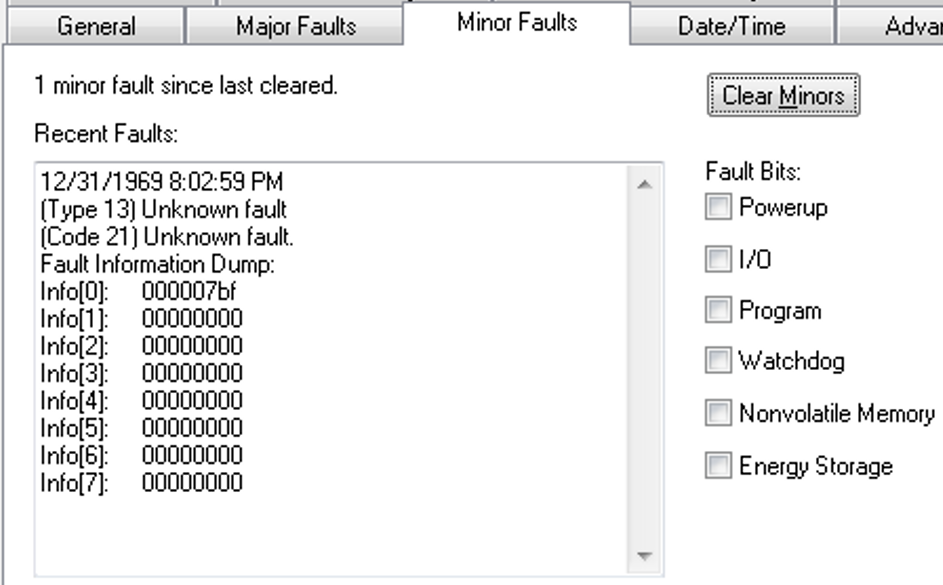
When the fault is logged, the WCT of the controller is set to 1/1/19XX 00:00:00.000, where XX is 81...86. The year corresponds to the Info[0] value for the minor fault.
- GuardLogix® 5580 Controllers, Revision 31.011
- ControlLogix® 5580 Controllers, Revision 31.011
- ControlLogix 5580 Process Controllers, Revision 33.011
- CompactLogix™ 5380 Controllers, Revision 31.011
- CompactLogix 5380 Process Controllers, Revision 33.011
- Compact GuardLogix 5380 SIL 2 Controllers, Revision 31.011
- Compact GuardLogix 5380 SIL 3 Controllers, Revision 32.013
- CompactLogix 5480 Controllers, Revision 32.011
Known Anomaly First Identified in:
- ControlLogix® 5580 Controllers, Revision 32.011
- ControlLogix 5580 Process Controllers, Revision 33.011
- GuardLogix® 5580 Controllers, Revision 32.011
- CompactLogix™ 5380 Motion Controllers, Revision 32.011
- CompactLogix 5380 Process Controllers, Revision 33.011
- Compact GuardLogix 5380 SIL2 Controllers, Revision 32.011
- Compact GuardLogix 5380 SIL3 Controllers, Revision 32.013
Minor fluctuations of the system time offset both on the producer controller and consumer controller side can cause minor velocity spikes, typically less than 1 % on the consumed axes in the remote controller.
This behavior is aesthetic and does not impact functionality.
Known Anomaly First Identified as of Firmware Revision 32.012
Catalog Numbers:
- ControlLogix® 5580 Controllers
- ControlLogix 5580 Process Controllers
- CompactLogix™ 5380 Controllers
- CompactLogix 5380 Process Controllers
- GuardLogix® 5580 Controllers
- Compact GuardLogix 5380 Controllers
- CompactLogix 5480 Controllers
Known Anomaly First Identified as of Firmware Revision 33.011
Concurrent Updates of 1756-RM2 and Communication Modules Causes 1756-RM2 To MNRF/ASSERT (987259)
|
Devices
|
First Known in Firmware
Revision
|
Corrected in Firmware
Revision
|
|
1756-RM2/1756-RM2XT
|
20.030
|
—
|
|
ControlLogix® 5570
redundant controllers
|
34.051
|
—
|
|
ControlLogix 5580
controllers
|
33.011
|
—
|
|
ControlLogix 5580
Process controllers
|
33.011
|
—
|
If you update the 1756-RM2 module to revision 20.030 or later while concurrently updating 1756-ENx communication modules to revision 5.008 or 5.028, the 1756-RM2 firmware update fails. The 1756-RM2 displays "ERAS" and/or "E813 Comm Error".
To work around this issue, do not select the 1756-RM2 module along with 1756-ENx revision 5.0xx modules for concurrent updates.
If you do experience a 1756-RM2 firmware update failure:
- Power cycle the 1756-RM2 to clear the fault (E813).
- After other concurrent updates are completed, relaunch ControlFLASH Plus® and update the 1756-RM2 module.
See the Knowledgebase Technote Concurrent flashing of 1756-RM2 and Communication modules causes 1756-RM2 to fail.
MCTPO Conflict Causes Incorrect Instruction Outputs (1806725)
|
Controllers
|
First Known in
Firmware Revision
|
Corrected in Firmware
Revision
|
|
CompactLogix™ 5380
|
31.011
|
—
|
|
Compact GuardLogix® 5380 SIL 2
|
31.011
|
—
|
|
Compact GuardLogix 5380 SIL 3
|
32.013
|
—
|
|
CompactLogix 5380 Process
|
33.011
|
—
|
|
CompactLogix 5480
|
32.011
|
—
|
|
ControlLogix® 5580
|
31.011
|
—
|
|
GuardLogix 5580
|
31.011
|
—
|
|
ControlLogix 5580 Process
|
33.011
|
—
|
When you use a Motion Calculate Transform Position with Orientation (MCTPO) instruction in multiple tasks simultaneously, the MCTPO reports an incorrect transform position.
To work around this anomaly, place a User Interrupt Disable (UID) instruction before each MCTPO instruction in each task, then place a User Interrupt Enable (UIE) instruction after each MCTPO operation in each task. If all the MCTPO instructions are used in only one task, no change needs to be made.
Disqualification of Redundant Chassis Pair Due to Concurrent Connection Timeout (1895856)
|
Communication Modules
|
First Known in Firmware
Revision
|
Corrected in Firmware
Revision
|
|
1756-EN4TR, 1756-EN4TRK,
1756-EN4TRXT |
5.001
|
5.003
|
Controller Can MNRF During Online Edit (2123008, 2306717, 3741373)
|
Controllers
|
First Known in Firmware Revision
|
Corrected in Firmware Revision
|
|
CompactLogix® 5380
|
33.011
|
34.015, 35.014, 36.011 and later
|
|
Compact GuardLogix® 5380 SIL 2
|
33.011
|
34.015, 35.014, 36.011 and later
|
|
Compact GuardLogix 5380 SIL 3
|
33.011
|
34.015, 35.014, 36.011 and later
|
|
CompactLogix 5380 Process
|
33.011
|
34.015, 35.014, 36.011 and later
|
|
CompactLogix 5480
|
33.011
|
34.015, 35.014, 36.011 and later
|
|
ControlLogix® 5580
|
33.011
|
34.015, 35.014, 36.011 and later
|
|
GuardLogix 5580
|
33.011
|
34.015, 35.014, 36.011 and later
|
|
ControlLogix 5580 Process
|
33.011
|
34.015, 35.014, 36.011 and later
|
Controller Can Become Unresponsive When You Inhibit or Uninhibit a Module (3080005)
|
Controllers
|
First Known in Firmware Revision
|
Corrected in Firmware Revision
|
|
CompactLogix™ 5380
|
33.011
|
36.011 and later
|
|
Compact GuardLogix® 5380 SIL 2
|
33.011
|
36.011 and later
|
|
Compact GuardLogix 5380 SIL 3
|
33.011
|
36.011 and later
|
|
CompactLogix 5380 Process
|
33.011
|
36.011 and later
|
|
CompactLogix 5480
|
33.011
|
36.011 and later
|
|
ControlLogix® 5580
|
33.011
|
36.011 and later
|
|
GuardLogix 5580
|
33.011
|
36.011 and later
|
|
ControlLogix 5580 Process
|
33.011
|
36.011 and later
|
Online Configuration of I/O Devices can Cause a MNRF/Assert (3231324, 3385069, 3335724, 3355887, 3355890)
|
Controllers
|
First Known in
Firmware Revision
|
Corrected in Firmware Revision
|
|
CompactLogix® 5380
|
34.011
|
34.015, 35.014, 36.013, 37.011 and later
|
|
Compact GuardLogix® 5380 SIL 2
|
34.011
|
34.015, 35.014, 36.013, 37.011 and later
|
|
Compact GuardLogix 5380 SIL 3
|
34.011
|
34.015, 35.014, 36.013, 37.011 and later
|
|
CompactLogix 5380 Process
|
34.011
|
34.015, 35.014, 36.013, 37.011 and later
|
|
CompactLogix 5480
|
34.011
|
34.015, 35.014, 36.013, 37.011 and later
|
|
ControlLogix® 5580
|
34.011
|
34.015, 35.014, 36.013, 37.011 and later
|
|
GuardLogix 5580
|
34.011
|
34.015, 35.014, 36.013, 37.011 and later
|
|
ControlLogix 5580 Process
|
34.011
|
34.015, 35.014, 36.013, 37.011 and later
|
|
1756-L8x Enhanced Redundancy
Firmware Bundle
|
33.011
|
33.017, 34.015, 35.014, 36.013, 37.011 and
later
|
When an I/O device is owned by the controller, if you make an online change with either the module properties dialog or a MSG instruction with a “Module Reconfigure” message type, the controller can MNRF/assert.
There is a higher probability for this anomaly to occur when there are many unconnected I/O devices in the I/O tree.
We recommend that you inhibit devices in the I/O tree that are not powered or do not exist on the network. If possible, inhibit the device while offline with the controller and then download the application to the controller.
This anomaly does not impact all I/O devices:
• Common I/O devices include: 1718 Ex I/O, 1719 Ex I/O, ArmorBlock® I/O, Compact 5000® I/O, FLEX 5000® I/O, Armor™ PowerFlex® Drives, E300™ Electronic Overload Relays, Dynamix™ 1444 Series modules.
• For all impacted I/O devices, see Knowledgebase Technote Determining the I/O Devices that Utilize an EDS AOP
Workaround:
Inhibit the I/O connection to the device while online before you start any reconfiguration. Once you complete the reconfiguration, then uninhibit the I/O connection.
|
Controllers
|
First Known in
Firmware Revision
|
Corrected in Firmware Revision
|
|
CompactLogix™ 5380
|
30.011
|
33.017(1), 34.015(2), 35.014(3), 36.011 and later
|
|
Compact GuardLogix® 5380
SIL 2
|
31.011
|
33.017(1), 34.015(2), 35.014(3), 36.011 and later
|
|
Compact GuardLogix 5380 SIL
3
|
32.013
|
33.017(1), 34.015(2), 35.014(3), 36.011 and later
|
|
CompactLogix 5380 Process
|
33.011
|
33.017(1), 34.015(2), 35.014(3), 36.011 and later
|
|
CompactLogix 5480
|
32.012
|
33.017(1), 34.015(2), 35.014(3), 36.011 and later
|
|
ControlLogix® 5580
|
30.011
|
33.017(1), 34.015(2), 35.014(3), 36.011 and later
|
|
GuardLogix 5580
|
31.011
|
33.017(1), 34.015(2), 35.014(3), 36.011 and later
|
|
ControlLogix 5580 Process
|
33.011
|
33.017(1), 34.015(2), 35.014(3), 36.011 and later
|
- Upgrade the controller’s firmware.
- Install the latest release of software associated with the major revision of firmware.
- Open the project file and perform a compact and delete of cache.
- Go to File → Compact
- When the Compact Project File dialog appears, make sure the Delete cached build data checkbox is checked.
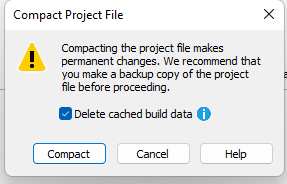
- Download the project to the controller.
|
Controllers
|
First Known in Firmware
Revision
|
Corrected in Firmware Revision
|
|
CompactLogix® 5370
|
20.011
|
37.011 and later
|
|
Compact GuardLogix® 5370
|
28.011
|
37.011 and later
|
|
ControlLogix® 5570
|
20.011
|
37.011 and later
|
|
GuardLogix 5570
|
20.011
|
37.011 and later
|
|
CompactLogix 5380
|
29.011
|
34.015, 35.014, 36.013, 37.011 and
later
|
|
Compact GuardLogix 5380 SIL 2
|
31.011
|
34.015, 35.014, 36.013, 37.011 and
later
|
|
Compact GuardLogix 5380 SIL 3
|
32.013
|
34.015, 35.014, 36.013, 37.011 and
later
|
|
CompactLogix 5380 Process
|
33.011
|
34.015, 35.014, 36.013, 37.011 and
later
|
|
CompactLogix 5480
|
32.011
|
34.015, 35.014, 36.013, 37.011 and
later
|
|
ControlLogix 5580
|
28.011
|
34.015, 35.014, 36.013, 37.011 and
later
|
|
GuardLogix 5580
|
31.011
|
34.015, 35.014, 36.013, 37.011 and
later
|
|
ControlLogix 5580 Process
|
33.011
|
34.015, 35.014, 36.013, 37.011 and
later
|
|
Controllers
|
First Known in
Firmware Revision
|
Corrected in Firmware Revision
|
|
CompactLogix® 5370
|
31.011
|
35.017, 36.014, 37.011 and later
|
|
CompactLogix 5380
|
28.011
|
35.017, 36.014, 37.011 and later
|
|
Compact GuardLogix® 5380 SIL 2
|
31.011
|
35.017, 36.014, 37.011 and later
|
|
Compact GuardLogix 5380 SIL 3
|
32.013
|
35.017, 36.014, 37.011 and later
|
|
CompactLogix 5380 Process
|
33.011
|
35.017, 36.014, 37.011 and later
|
|
CompactLogix 5480
|
32.012
|
35.017, 36.014, 37.011 and later
|
|
ControlLogix® 5580
|
28.011
|
35.017, 36.014, 37.011 and later
|
|
GuardLogix 5580
|
31.011
|
35.017, 36.014, 37.011 and later
|
|
ControlLogix 5580 Process
|
33.011
|
35.017, 36.014, 37.011 and later
|
|
Controllers
|
First Known in
Firmware Revision
|
Corrected in Firmware Revision
|
|
CompactLogix® 5380
|
33.011
|
35.016, 36.013, 37.012, 38.011 and later
|
|
Compact GuardLogix® 5380 SIL
2
|
33.011
|
35.016, 36.013, 37.012, 38.011 and later
|
|
Compact GuardLogix 5380 SIL 3
|
33.011
|
35.016, 36.013, 37.012, 38.011 and later
|
|
CompactLogix 5380 Process
|
33.011
|
35.016, 36.013, 37.012, 38.011 and later
|
|
CompactLogix 5480
|
33.011
|
35.016, 36.013, 37.012 and later
|
|
ControlLogix® 5580
|
33.011
|
35.016, 36.013, 37.012, 38.011 and later
|
|
GuardLogix 5580
|
33.011
|
35.016, 36.013, 37.012, 38.011 and later
|
|
ControlLogix 5580 Process
|
33.011
|
35.016, 36.013, 37.012, 38.011 and later
|
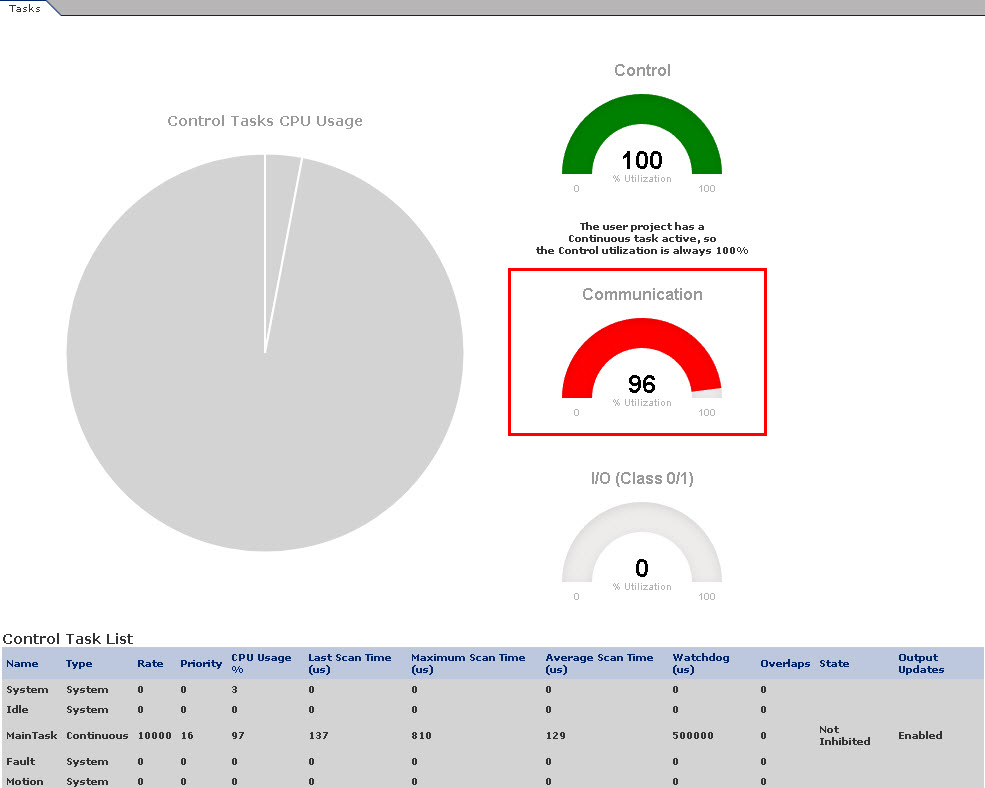
|
Controllers
|
First Known in
Firmware Revision
|
Corrected in Firmware Revision
|
|
CompactLogix® 5380
|
28.011
|
34.015, 35.014, 36.013, 37.012, 38.011 and later
|
|
Compact GuardLogix® 5380 SIL
2
|
31.011
|
34.015, 35.014, 36.013, 37.012, 38.011 and later
|
|
Compact GuardLogix 5380 SIL
3
|
32.013
|
34.015, 35.014, 36.013, 37.012, 38.011 and later
|
|
CompactLogix 5380 Process
|
33.011
|
34.015, 35.014, 36.013, 37.012, 38.011 and later
|
|
CompactLogix 5480
|
32.011
|
34.015, 35.014, 36.013, 37.012 and later
|
|
ControlLogix® 5580
|
28.011
|
34.015, 35.014, 36.013, 37.012, 38.011 and later
|
|
GuardLogix 5580
|
31.011
|
34.015, 35.014, 36.013, 37.012, 38.011 and later
|
|
ControlLogix 5580 Process
|
33.011
|
34.015, 35.014, 36.013, 37.012, 38.011 and later
|
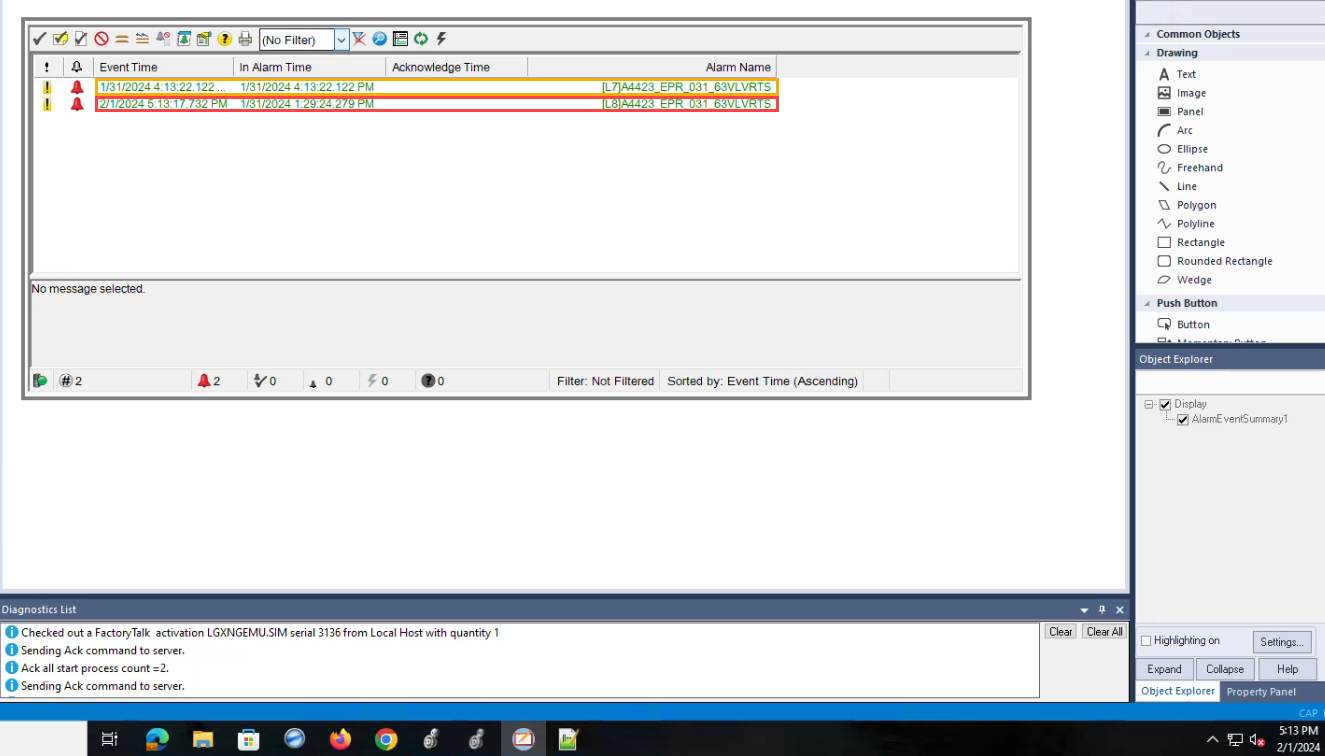
Application Notes
This release has the following application notes.
New Firmware Updates Can Impact the Performance of Message Rate Capacity HMI/MSG (Class 3) Data
Each new major revision of the controller/communication module firmware provides additional features and functionality, but this consumes additional processing power from the module even if the features are not utilized. This manifests as degrading HMI/messaging performance for the respective module.
Despite this degradation, the specifications defined for the respective modules have been maintained:
|
Module
|
Message Rate Across the Embedded Ethernet Port
|
|
ControlLogix® 5580
CompactLogix® 5380 |
2000 MSG/sec
|
|
GuardLogix® 5580 controllers in a SIL3 configuration
Compact GuardLogix 5380 SIL3 controllers |
1000 MSG/sec
|
|
1756-EN4TR Ethernet modules
|
3700 MSGs/sec
|
To improve the messaging capacity, it is recommended to employ the following:
- For high-frequency messaging, utilize connected cached messages
- Utilize message reads as opposed to message writes; they’re more efficient
- For ControlLogix 5580 controllers, route HMI/messages through communication modules in the chassis as
opposed to going directly to the embedded port of the controller
- Offloading some of the processing to the communications module results in greater messaging capacity than using the front port alone
- This recommendation does not apply to I/O or produce/consume data, it is more efficient and there is more capacity for that data to route through the embedded port of the controller
- Upgrade to a 5590 controller
- The HMI/messaging messaging capacity is doubled through the embedded ethernet port
For more information, see these publications:
- ControlLogix and GuardLogix Controller Specifications Technical Data, publication 1756-TD001
- CompactLogix 5380, Compact GuardLogix 5380, and CompactLogix 5480 Controllers Specifications Technical Data, publication 5069-TD002
- 1756 ControlLogix Communication Modules Specifications Technical Data, publication 1756-TD003
PXRQ Instruction Can Cause a Controller MNRF/Assert
|
Controllers
|
First Known in Firmware
Revision
|
|
CompactLogix™ 5380
|
31.011
|
|
Compact GuardLogix® 5380 SIL
2
|
31.011
|
|
Compact GuardLogix 5380 SIL 3
|
32.013
|
|
CompactLogix 5380 Process
|
33.011
|
|
CompactLogix 5480
|
32.011
|
|
ControlLogix® 5580
|
31.011
|
|
GuardLogix 5580
|
31.011
|
|
ControlLogix 5580 Process
|
33.011
|
Writing to the Equipment Phase External Request (PXRQ) instruction control\backing tag needs to be conditioned with a set .PC bit of the control\backing tag or the controller can MNRF/assert.
Copyright © 2026 Rockwell Automation, Inc. All rights reserved.
Rockwell Automation, Allen-Bradley, and FactoryTalk are trademarks of Rockwell Automation, Inc.
To view a complete list of Rockwell Automation trademarks please click here.
Trademarks not belonging to Rockwell Automation are property of their respective companies.